
Have you ever searched for someone’s Instagram profile only to find that it suddenly disappeared? Maybe your direct messages are still there, but their posts have vanished, leaving you wondering what happened. It’s a common experience that leads many people to ask how to see who blocked you on Instagram.
The truth is that Instagram doesn’t send notifications when someone blocks you. There isn’t a dedicated list showing blocked accounts either. However, there are several reliable clues that can help you determine whether you’ve been blocked, whether the person deactivated their account, or if something else happened.
In this guide, you’ll learn how Instagram’s blocking feature works, how to identify the most common signs, and how to verify your suspicions without relying on unreliable third-party apps.
What Happens When Someone Blocks You on Instagram?
Before trying to figure out whether someone has blocked you, it’s important to understand what blocking actually does.
When an Instagram user blocks another account:
- You can no longer find their profile through Instagram search (in most cases).
- Their posts, Reels, and Stories become inaccessible.
- You cannot send them new direct messages.
- Existing conversations remain, but their profile may appear blank.
- You stop following each other automatically.
- They won’t appear in your followers or following lists.
Unlike some social media platforms, Instagram keeps blocking private. The platform never alerts users that someone has blocked them.
This design helps reduce unnecessary conflict and protects user privacy.
Can You See Who Blocked You on Instagram?
The short answer is no.
If you’re wondering can you see who blocked you on Instagram, the answer is straightforward: Instagram does not provide a feature that shows a list of people who have blocked your account.
That also means:
- There is no “Blocked By” section.
- Instagram doesn’t send notifications.
- There is no official history of blocks.
- No setting reveals who has blocked you.
Instead, you’ll need to look for several indicators together before reaching a conclusion.
Why Instagram Doesn’t Tell You
Instagram focuses heavily on user privacy.
If every blocked user received an alert, it could encourage harassment, repeated contact attempts, or unwanted interactions.
For that reason, Instagram treats blocking as a private action. The blocked person simply loses access without receiving an explanation.
How to Know Who Blocked You on Instagram
Although there isn’t a direct feature, you can usually determine what happened by checking several things.
1. Search for Their Username
Start with the simplest method.
Type the person’s exact username into Instagram’s search bar.
Possible outcomes include:
- The profile appears normally.
- The profile doesn’t appear at all.
- The username appears briefly but opens to a blank page.
If the account previously appeared but now cannot be found, blocking is one possibility.
However, it’s not the only explanation.
The person may have:
- Changed their username
- Temporarily deactivated their account
- Permanently deleted their account
- Been suspended by Instagram
Because of these possibilities, don’t rely on search results alone.
2. Check Your Previous Direct Messages
If you’ve chatted with the person before:
- Open Instagram Direct Messages.
- Find your previous conversation.
- Tap their profile.
If you’ve been blocked, you may notice:
- Their profile picture disappears.
- Their follower count is unavailable.
- Their posts show as zero.
- The profile refuses to load.
Sometimes the conversation remains visible even though the profile itself becomes inaccessible.
3. Try Opening Their Profile Link
If you know their username, manually type:
instagram.com/username
If the account exists but you cannot access it while others can, that’s another possible sign you’ve been blocked.
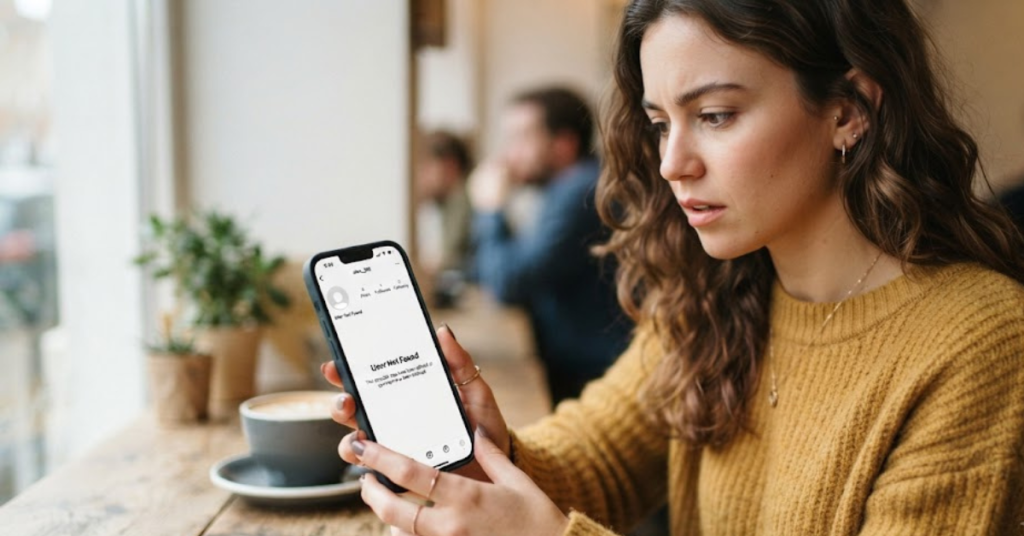
If the profile says:
- “User not found”
- “Sorry, this page isn’t available”
it doesn’t automatically confirm blocking.
Those same messages can appear when an account has been deleted or disabled.
4. View the Account From Another Profile
One of the most reliable ways to verify your suspicion is by checking from another Instagram account.
For example:
- Ask a trusted friend to search the username.
- Use another account that follows Instagram’s rules.
- Compare what both accounts can see.
If another account can view the profile normally while yours cannot, blocking becomes much more likely.
Remember to respect the other person’s privacy. This method should only be used to confirm what happened—not to bypass someone’s decision.
5. Check Tagged Photos or Comments
If the person previously:
- Commented on your posts
- Tagged you
- Was tagged in shared photos
look back through older content.
Sometimes you’ll notice:
- Their username is no longer clickable.
- Comments remain but the profile can’t be opened.
- Tags disappear altogether.
These changes can provide additional clues when combined with other signs.
Signs Someone May Have Blocked You
Instead of relying on one indicator, look for a combination.
Common signs include:
Their profile no longer appears in search.
Existing messages remain, but the profile is blank.
You can’t follow them.
Their posts and Stories disappear.
Friends can still see their profile while you cannot.
Shared tags no longer open their account.
The more of these signs you notice together, the stronger the evidence becomes.
Can Someone Block You but Still Message You?
No.
Once someone blocks your account:
- New direct messages cannot be exchanged.
- Calls through Instagram stop working.
- Future interactions are restricted.
Old conversations usually remain visible unless one of you deletes them.
Does Blocking Delete Previous Messages?
No.
Instagram generally keeps previous conversations intact.
You may still be able to:
- Read earlier messages.
- View media that hasn’t expired.
- See past conversation history.
However, you won’t be able to continue chatting while the block remains active.
Blocked vs. Restricted vs. Unfollowed vs. Deactivated Account
One of the biggest reasons people get confused is that several Instagram actions can make someone’s profile seem to disappear. Before assuming you’ve been blocked, it’s worth understanding the differences.
| Situation | Can You Find Their Profile? | Can You View Their Posts? | Can You Send Messages? |
| Blocked | Usually no | No | No |
| Restricted | Yes | Yes | Yes, but messages may go to Message Requests |
| Unfollowed | Yes | Yes (if the account is public) | Yes |
| Private Account | Yes | Only if they approve your follow request | Yes |
| Deactivated Account | No | No | Previous chats remain |
| Deleted Account | No | No | Previous chats may remain, but the account disappears |
Knowing these differences helps you avoid jumping to conclusions.
How to Tell If the Account Was Deactivated Instead
Sometimes an account disappears because the owner temporarily deactivated it—not because they blocked you.
Here are some signs of a deactivated account:
- Friends also can’t find the profile.
- The username disappears from search results.
- Tagged photos may still exist, but the account can’t be opened.
- The profile may reappear after a few days or weeks.
Unlike blocking, deactivation affects everyone equally.
What If the User Changed Their Username?
Instagram allows users to change their usernames whenever they want.
If you’re searching for an old username, you may think you’ve been blocked when the account simply has a new handle.
To check:
- Look through old conversations.
- Check tagged photos.
- Ask a mutual friend whether the username has changed.
- Search using the person’s real name instead of their username.
Many “missing” accounts turn out to have simply been renamed.
Can Instagram Notify You If Someone Blocks You?
No.
Instagram intentionally avoids notifying users about blocks.
You won’t receive:
- A push notification
- An email
- An in-app alert
- A message in your inbox
The only way to figure it out is by observing changes to the account’s visibility.
Do Third-Party Apps Really Show Who Blocked You?
This is one of the most common misconceptions.
Many apps claim they can tell you exactly who blocked you on Instagram. In reality, no app has access to Instagram’s private blocking information.
Most of these apps can only compare public account data over time. They may guess that someone blocked you if their profile becomes inaccessible, but they cannot confirm it.
Some apps may also request your Instagram login credentials, which can put your account at risk.
It’s best to avoid apps that promise to:
- Reveal everyone who blocked you
- Show a list of secret profile visitors
- Recover deleted followers instantly
- Bypass Instagram’s privacy settings
If something sounds too good to be true, it usually is.
Why You Should Avoid “Who Blocked Me” Apps
Besides being inaccurate, these apps can create security concerns.
Potential risks include:
- Compromised account security
- Unauthorized access to your profile
- Privacy issues
- Violation of Instagram’s Terms of Use
- Spam or phishing attempts
The safest approach is to rely on Instagram itself rather than third-party services.
Can You Still View Their Profile Another Way?
Many people wonder whether there’s a workaround after being blocked.
The answer depends on the situation.
If the account is public, another person who hasn’t been blocked may still be able to view it.
However, you should avoid trying to bypass someone’s decision by creating fake accounts or using deceptive methods. Respecting another user’s privacy is part of responsible social media use.
What Should You Do If You Think Someone Blocked You?
Being blocked can feel confusing or even upsetting, especially if it happens without explanation. Before reacting, take a moment to consider the possibilities.
Ask yourself:
- Have they recently taken a break from social media?
- Could they have changed their username?
- Is their account temporarily unavailable?
- Can mutual friends still find the profile?
If the evidence strongly suggests you’ve been blocked, the healthiest response is usually to respect their choice and move on.
Common Myths About Instagram Blocking
Let’s clear up a few widespread myths.
Myth 1: Instagram sends a notification when someone blocks you.
Reality: It never does.
Myth 2: There is a hidden list of people who blocked you.
Reality: Instagram doesn’t offer such a feature.
Myth 3: Every missing profile means you’ve been blocked.
Reality: Accounts can also be deleted, deactivated, renamed, or suspended.
Myth 4: Third-party apps know exactly who blocked you.
Reality: They don’t have access to Instagram’s private blocking data.
Myth 5: Blocking deletes all previous conversations.
Reality: Existing chats usually remain, although new communication isn’t possible.
Tips for Confirming Without Guessing
If you’re trying to avoid false assumptions, follow these simple steps:
- Search for the exact username.
- Review previous direct messages.
- Check old comments and tags.
- Ask a trusted friend if they can still view the account.
- Consider whether the account might be deactivated or renamed.
- Avoid relying on a single clue.
Using multiple indicators together gives you a much more accurate picture.
Real-World Example
Imagine you regularly chat with a friend on Instagram.
One day:
- Their profile picture disappears.
- You can’t open their account.
- Searching their username returns no results.
- Your mutual friend can still see their profile normally.
Taken together, these signs strongly suggest that your account has been blocked.
Now imagine a different situation:
- Neither you nor your friends can find the profile.
- Previous tags stop working.
- The account disappears everywhere.
In this case, the account was more likely deleted or temporarily deactivated rather than blocking only you.
Key Takeaways
- Instagram never tells you when someone blocks your account.
- There is no official way to view a list of people who blocked you.
- Multiple signs together are more reliable than any single clue.
- Deleted, deactivated, or renamed accounts can look similar to blocked accounts.
- Avoid third-party apps that promise to reveal blocked users, as they cannot reliably do so and may pose security risks.
Frequently Asked Questions
1. Can you see who blocked you on Instagram?
No. Instagram does not provide a feature that lets you view a list of users who have blocked your account. The only way to determine it is by looking at several clues, such as whether you can find their profile, access their posts, or send them messages.
2. How can I see who blocked me on Instagram without downloading an app?
You don’t need a third-party app. Search for the person’s username, review your previous direct messages, and compare what you can see with what a trusted friend can view. Using these methods together is the most reliable approach.
3. Can I still message someone who blocked me?
No. Once someone blocks you, you cannot send them new direct messages or interact with their account. Previous conversations may still appear in your inbox, but communication cannot continue unless the block is removed.
4. How do I know if someone blocked me or deleted their Instagram account?
If everyone—including your friends—cannot find the account, it may have been deleted or temporarily deactivated. If only you are unable to find or access the profile while others still can, there’s a strong chance you’ve been blocked.
5. Do third-party apps accurately show who blocked you?
No. Apps claiming to reveal blocked users do not have access to Instagram’s private blocking data. They often rely on guesses based on public information and may put your account security at risk.
6. Will someone know if I search for their Instagram profile?
No. Instagram does not notify users when someone searches for their profile. You can search for usernames without the other person being alerted.
Final Thoughts
If you’ve been wondering how to see who blocked you on Instagram, the most important thing to remember is that there isn’t a single button or feature that provides the answer. Instagram intentionally keeps blocking private, so you’ll need to rely on a combination of clues rather than one definitive sign.
Start by searching for the account, checking previous conversations, reviewing old comments or tags, and comparing your results with what a trusted friend can see. These steps offer the clearest picture without compromising anyone’s privacy or putting your own account at risk.