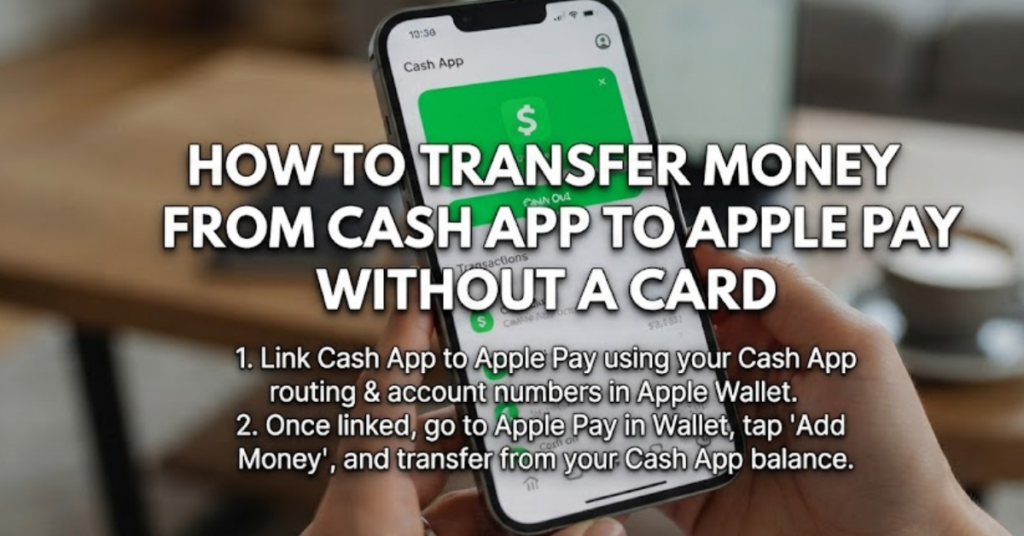

Need to move money from Cash App to Apple Pay but don’t have a Cash App Card? You’re not the only one. Many users assume there’s a direct transfer option between the two platforms, only to discover that it’s not as straightforward as expected.
If you’re searching for how to transfer money from Cash App to Apple Pay without card, the short answer is that there isn’t a direct way to transfer your Cash App balance to Apple Cash or Apple Pay without using an intermediary, such as a linked bank account. In this guide, you’ll learn why this limitation exists, explore the available methods, understand how Apple Wallet works with Cash App, and discover the fastest alternatives for moving your money.
Can You Transfer Cash App to Apple Pay Without a Card?
The simple answer is:
No, Cash App does not currently allow a direct transfer of your Cash App balance to Apple Pay or Apple Cash without using a Cash App Card or a linked bank account.
Cash App and Apple Pay are separate financial ecosystems. While they can work together in certain ways, they don’t offer a built-in feature for transferring funds directly between balances.
However, there are several workarounds depending on your setup.
Understanding Cash App and Apple Pay
Before transferring money, it’s important to understand what each service does.
Cash App
Cash App is a peer-to-peer payment platform that allows users to:
- Send and receive money
- Store a Cash App balance
- Link bank accounts
- Use a Cash App Card for purchases
- Invest in stocks and Bitcoin (where available)
Apple Pay
An Apple Pay is a digital wallet that stores:
- Credit cards
- Debit cards
- Transit cards
- Apple Cash balance
Apple Pay itself doesn’t hold money unless you’re using Apple Cash, Apple’s peer-to-peer payment service.
Understanding this distinction helps explain why direct transfers are limited.
How to Transfer Money From Cash App to Apple Pay Without Card
Although there isn’t a direct transfer, you can usually move your money by using a linked bank account.
Method 1: Transfer Through Your Bank Account
This is the most common solution.
Step 1: Cash Out Your Cash App Balance
Open Cash App and:
- Tap Banking.
- Select Cash Out.
- Enter the amount.
- Transfer the funds to your linked bank account.
You can choose:
- Standard Deposit (usually 1–3 business days)
- Instant Deposit (fee may apply)
Step 2: Add Your Bank Account to Apple Wallet
If your debit card or bank account is already linked to Apple Wallet, you can use those funds for Apple Pay purchases once the deposit is available.
If you’re using Apple Cash, you can also add money to your Apple Cash balance from your linked debit card.
Method 2: Use the Cash App Card (If Available)
If you have a Cash App Card, the process becomes much easier.
Simply:
- Open Apple Wallet.
- Tap the “+” button.
- Add your Cash App Card like any debit card.
- Verify the card.
Once added, you can use the Cash App Card through Apple Pay for purchases.
This doesn’t transfer your Cash App balance into Apple Cash, but it allows you to spend that balance anywhere Apple Pay is accepted.
How to Transfer Cash App Money to Apple Pay
Many users ask how to transfer Cash App money to Apple Pay, but it’s important to know that Apple Pay itself isn’t a separate bank account or wallet balance.
Instead:
- Apple Pay uses linked payment cards.
- Apple Cash is where money is actually stored.
That means your Cash App balance can’t simply “move” into Apple Pay without first reaching a compatible funding source.
Can You Transfer Cash App to Apple Pay Directly?
Currently, you cannot transfer Cash App to Apple Pay directly using only the apps themselves.
There is no built-in button that moves your Cash App balance to Apple Cash.
Instead, you’ll generally need:
- A linked bank account
- A Cash App Card
- Or another supported payment method
How to Add Cash App to Apple Wallet
If you have a Cash App Card, adding it is simple.
Steps
- Open Apple Wallet.
- Tap the “+” icon.
- Choose Debit Card.
- Enter your Cash App Card information.
- Complete identity verification if prompted.
- Finish setup.
Once complete, your Cash App Card works like any other debit card within Apple Pay.
Can You Add Your Cash App Balance to Apple Wallet?
This is a common misunderstanding.
You cannot add your Cash App balance directly to Apple Wallet.
Instead, you add:
- Your Cash App Card
- Your linked debit card
- Your linked credit card
The wallet stores payment methods—not external account balances.
Why Doesn’t Direct Transfer Work?
Cash App and Apple Pay are operated by different companies with separate payment systems.
Because of this:
- Cash App balance stays inside Cash App.
- Apple Cash has its own balance.
- Apple Wallet stores payment methods rather than importing balances from third-party apps.
Until the companies introduce deeper integration, users must rely on linked financial accounts.
Common Situations
You Have Cash App Card
Add the card to Apple Wallet.
You can immediately pay using Apple Pay.
You Don’t Have Cash App Card
Cash Out to your bank.
Then use that bank account or debit card with Apple Pay.
You Want Money in Apple Cash
You’ll first need to move the funds to your bank account before adding money to Apple Cash through supported methods.
Tips for Faster Transfers
If you regularly use both services:
- Link the same bank account to Cash App and Apple Wallet.
- Keep your debit card updated.
- Use Instant Deposit when you need funds quickly.
- Order a Cash App Card if you frequently use Apple Pay.
These steps can make transferring and spending money much more convenient.
Common Mistakes to Avoid
Assuming Apple Pay Stores Money
Apple Pay stores payment methods. Apple Cash stores your balance.
Expecting a One-Tap Transfer
No direct Cash App-to-Apple Cash transfer currently exists.
Forgetting Transfer Times
Standard Cash Out transfers may take several business days.
Confusing Apple Cash With Apple Pay
Apple Pay is the payment system, while Apple Cash is the digital balance used for sending and receiving money.
Key Takeaways
- There is currently no direct way to transfer money from Cash App to Apple Pay without a card.
- The easiest workaround is transferring funds from Cash App to a linked bank account.
- If you own a Cash App Card, you can add it directly to Apple Wallet.
- Apple Wallet stores payment methods rather than transferring balances between financial apps.
- Keeping the same bank account linked to both services simplifies future transfers.
Frequently Asked Questions
How to transfer money from Cash App to Apple Pay without card?
You can’t transfer funds directly from your Cash App balance to Apple Pay without a Cash App Card. The typical workaround is to cash out your balance to a linked bank account and then use that bank account or debit card with Apple Pay.
Can you transfer Cash App to Apple Pay directly?
No. Cash App and Apple Pay do not currently support direct balance-to-balance transfers between their platforms.
How to transfer Cash App money to Apple Pay?
If you have a Cash App Card, add it to Apple Wallet and use it through Apple Pay. Without the card, transfer your Cash App balance to your bank account first.
How to add Cash App to Apple Wallet?
Open Apple Wallet, tap the “+” icon, and add your Cash App Card as a debit card. After verification, it can be used anywhere Apple Pay is accepted.
Can I move my Cash App balance to Apple Cash?
Not directly. You’ll need to transfer your Cash App funds to a linked bank account before adding money to your Apple Cash balance through supported methods.
Why won’t Cash App connect directly to Apple Pay?
Cash App and Apple Pay operate on separate financial networks. Because they don’t share balances directly, users must use linked bank accounts or compatible payment cards as intermediaries.
Conclusion
If you’ve been wondering how to transfer money from Cash App to Apple Pay without card, the reality is that there isn’t a direct transfer option available today. While this may seem inconvenient, there are reliable alternatives. The most practical solution is to cash out your Cash App balance to a linked bank account and then use that account with Apple Pay or Apple Cash. If you have a Cash App Card, you can also add it directly to Apple Wallet for seamless contactless payments.
Understanding the difference between Apple Pay, Apple Wallet, and Apple Cash helps avoid confusion and makes managing your money much easier. By linking your financial accounts correctly and choosing the transfer method that best fits your needs, you can move funds efficiently and continue using both platforms with confidence.